


8BitDo’s all-button controller gets a screen upgrade for customizations without an app
The Arcade Controller Pro has a thinner design, an extra programmable button, and a screenshot button for the Switch.
The Arcade Controller Pro has a thinner design, an extra programmable button, and a screenshot button for the Switch.
by Jun 24, 2026, 3:00 PM UTC
If you buy something from a Verge link, Vox Media may earn a commission. See our ethics statement.
 Image: 8BitDo
 Andrew Liszewski is a senior reporter who’s been covering and reviewing the latest gadgets and tech since 2006, but has loved all things electronic since he was a kid.
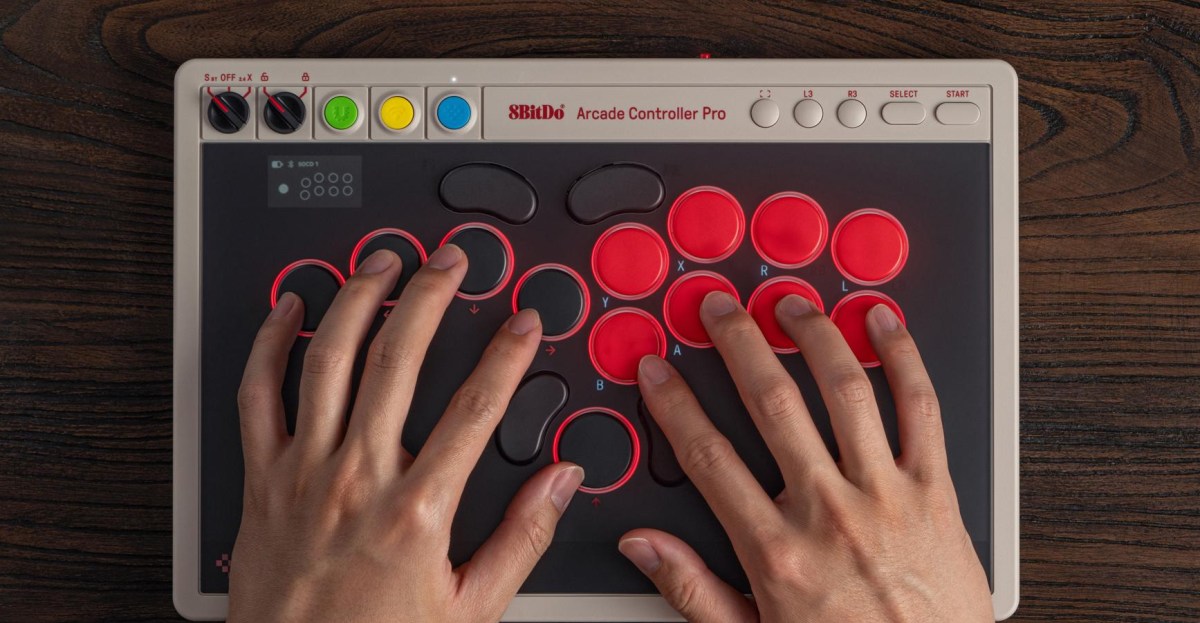
8BitDo announced a new version of its all-button Arcade Controller that debuted a little over a year ago. The new Arcade Controller Pro looks similar to 8BitDo’s original with a leverless (or Hitbox) design that replaces joysticks with buttons for improved precision and responsiveness. The new Pro version comes with upgrades that include an even thinner 16mm design, an additional programmable button, and a small screen allowing you to customize button mapping and other settings without having to open 8BitDo’s Ultimate Software V2 app on another device — although that’s supported, too.
Pricing, availability, and preorder timing for the Arcade Controller Pro haven’t been confirmed. Last year’s model is still $89.99, but pricing for the Pro may be a bit more given the extra functionality. In addition to remapping the controller’s programmable buttons that now include a fifth button on the left side of the controller, the small monochromatic display can be used to check the battery level, adjust the accent lighting, and change how the Pro behaves when simultaneously pressing multiple buttons. Battery life is estimated to be up to 15 hours of playtime using either a Bluetooth or 2.4GHz wireless connection.

Each of the Arcade Controller Pro’s buttons uses an 8BitDo Core Green low-profile linear mechanical switch the company codeveloped with Kailh, but those can be hot swapped with alternate switches for a different feel. The company says the design of the Pro’s round buttons has been improved so they’re easier to install, and the controller comes with five flush-mounted lock caps that can replace its five programmable buttons to disable them and prevent accidental presses.
